Errors and IntelliJ
Java is strict, so you will run into errors often. Do not worry. IntelliJ watches your code in real time and helps you.

The most common errors
1. Missing semicolon (;)
Java ends each statement with a semicolon. If you forget it, IntelliJ shows a red line like, “Are you done talking yet?“
2. Wrong type
int x = "Hello"; // (Error!) putting text into a number boxIntelliJ will tell you, “You cannot put text into a number box!”
Just hover your mouse
Move your cursor over the red underline.
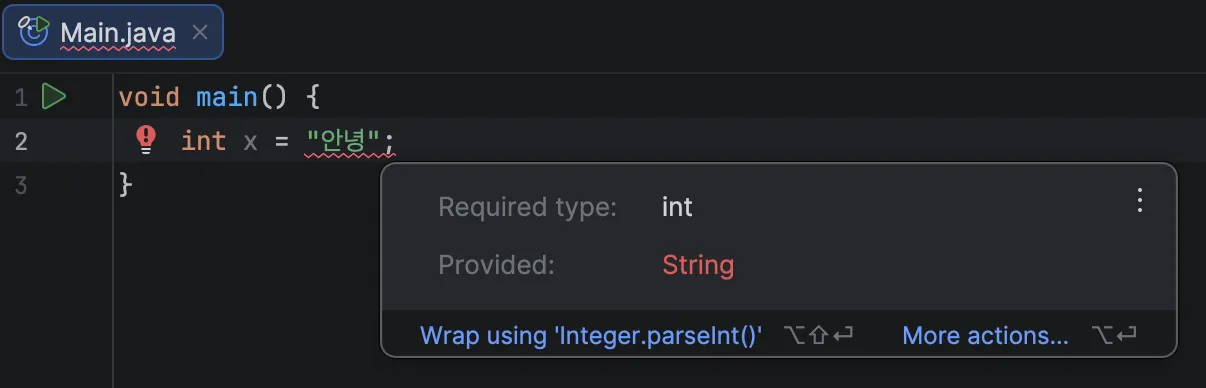 IntelliJ will explain what is wrong and how to fix it. If you see a lightbulb icon, click it. It can even fix the code for you.
Errors are not failure. They are hints toward better code. Do not fear the red lines.